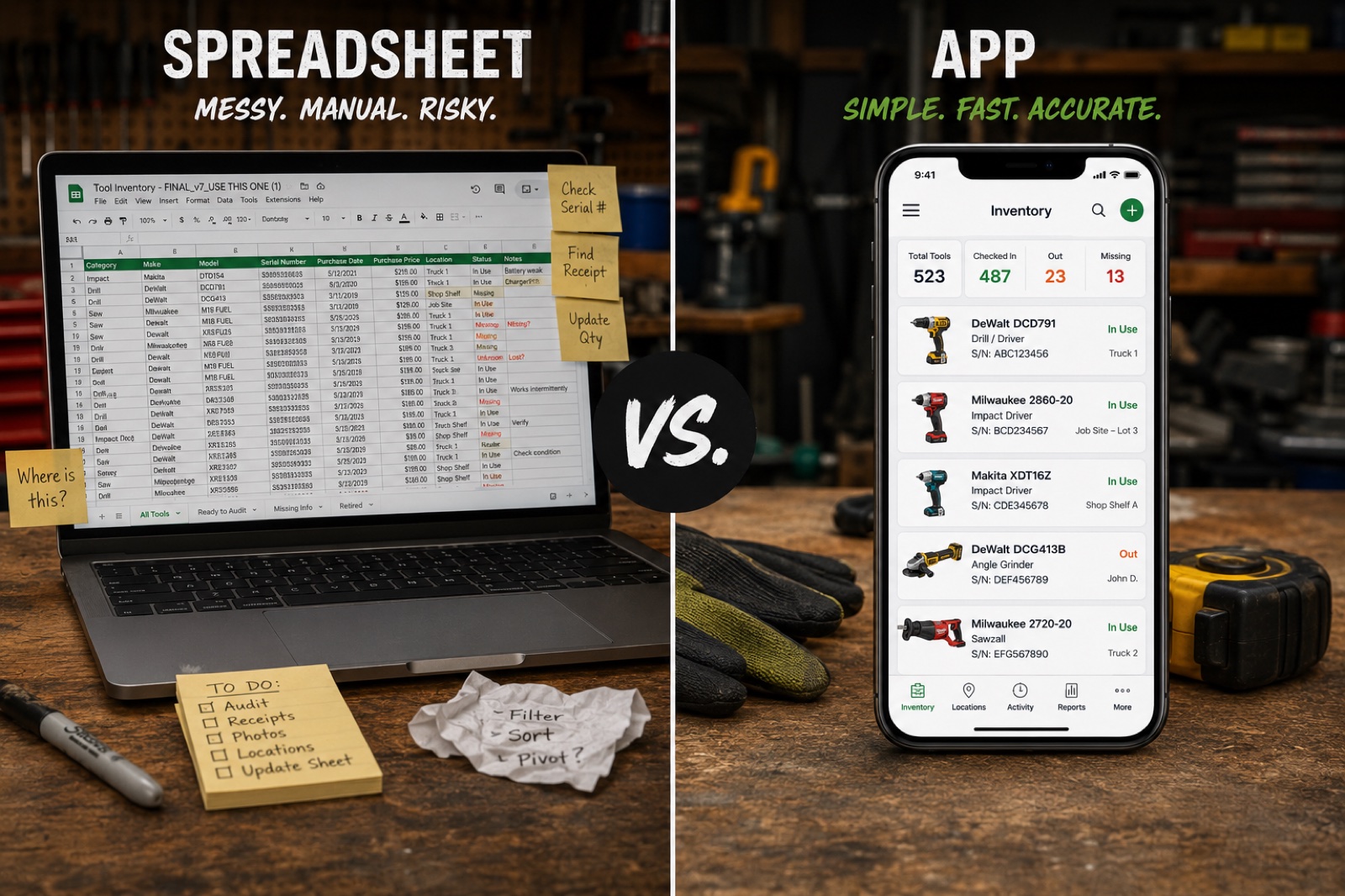
Spreadsheet vs. App: The Best Way to Track Contractor Tools
Both work. One works better. But the best system is the one you'll actually use.
Every contractor who decides to track their tools faces the same fork in the road: do I set up a spreadsheet, or do I download an app?
It's a fair question, and the answer isn't as obvious as you might think. Spreadsheets have real advantages. Apps have real advantages. And some contractors will genuinely be better served by a spreadsheet.
But let's be honest about where each option breaks down, because the right choice depends on how many tools you have, where you work, and — most importantly — whether you'll stick with it.
The case for spreadsheets
Spreadsheets are free. That's the biggest advantage, and it's not a small one. Google Sheets, Excel, or even Apple Numbers will let you build a tool inventory without spending a dime. For a contractor watching every dollar, free matters.
Beyond cost, spreadsheets are flexible. You can set up your columns however you want. You can add formulas to calculate total replacement value, depreciation, or insurance coverage gaps. You can sort, filter, and organize to your heart's content. If you know your way around a spreadsheet, the setup takes maybe fifteen minutes.
Spreadsheets are also familiar. Almost everyone has used one. There's no learning curve, no new interface to figure out, no account to create. You open it, you type, you save. Done.
For a contractor with a small number of tools — say, under 50 — a spreadsheet can be perfectly adequate. If you're a solo operator with a truck and a shop, and you're disciplined about updating it, a spreadsheet will do the job.
Here's a solid basic setup:
| Tool Name | Brand | Model | Serial Number | Purchase Date | Purchase Price | Replacement Value | Location | Photo Link |
|---|
Add those columns to a Google Sheet, fill in your tools, and you've got a functional inventory. Some contractors have been running versions of this for years.
Where spreadsheets fall apart
So if spreadsheets work, why does anyone bother with an app? Because spreadsheets have five problems that get worse as your inventory grows.
Problem 1: Photos are painful. A tool inventory without photos is barely an inventory at all. Insurance companies want photos. Serial number documentation needs photos. Visual identification requires photos.
Try adding 200 photos to a spreadsheet. You either hyperlink to a folder of images (which means maintaining two systems — the spreadsheet AND the photo folder), or you embed images into cells (which makes the file enormous and slow). Neither option is good.
In practice, most contractors who use spreadsheets skip the photos or take them once and then never update them. The spreadsheet becomes a list of text with no visual proof of anything.
Problem 2: No mobile access on job sites. Yes, Google Sheets works on your phone. Have you tried using it on a phone? Tiny cells, hard-to-tap rows, constant horizontal scrolling. It's an experience designed for a desk, not for a truck bed at 7 AM.
The place where you most need your inventory — on a job site, in the field, when you're trying to figure out if that generator has the right serial number for the insurance claim — is the place where spreadsheets are most miserable to use.
Problem 3: Easy to abandon. Spreadsheets require manual discipline every single time. There's no reminder, no prompt, no built-in habit loop. You have to remember to open the spreadsheet, find the right row, type in the data, and save.
Most spreadsheet-based inventories follow the same lifecycle: enthusiastic creation, a week of diligent updates, gradually longer gaps between entries, and eventual abandonment. Three months later, the spreadsheet is hopelessly out of date and the contractor gives up. I've talked to dozens of contractors who've started and abandoned tool spreadsheets multiple times.
Problem 4: No automatic backup. If you're using a local Excel file and your laptop dies, your inventory dies with it. Google Sheets solves this with cloud storage, but if you're using Excel or Numbers offline, one hardware failure erases your entire record.
Problem 5: No serial number scanning. When you're inventorying a tool, you need to record the serial number. That usually means squinting at a tiny stamped plate, trying to distinguish between a B and an 8, and manually typing a 12-character string. This is tedious for ten tools and brutal for 200.
The case for apps
Tool tracking apps exist specifically because spreadsheets hit their limits. Here's what an app does better:
Photos are native. Snap a photo from inside the app, and it's attached to the tool record. No separate folder, no hyperlinking, no file management. The photo lives with the data. This is the single biggest practical advantage.
Mobile-first design. Apps are built for your phone. The interface is designed for adding tools while you're standing in your shop or sitting in your truck. Big buttons, clear fields, fast entry.
AI identification. This is where modern apps pull ahead. ToolTracked can identify a tool from a photo — brand, model, and category — without you typing anything. Point your camera at a Milwaukee impact driver and the app knows what it is. That turns a 60-second data entry task into a 10-second scan.
Cloud sync. Your inventory is backed up automatically, accessible from any device, and never at risk of being lost to a dead laptop.
Insurance reports. This is the one that matters when things go wrong. A good app can generate a PDF report of your entire inventory — with photos, serial numbers, and replacement values — formatted for an insurance claim. Try doing that with a spreadsheet. You'll spend an hour just getting the photos to print correctly.
Serial number scanning. Point your camera at the serial number plate and let the app read it. No squinting, no manual typing, no mistakes.
Where apps fall short
Fair is fair, so let's talk about the downsides.
Monthly cost. Most tool tracking apps charge a subscription fee. It's usually modest — a few dollars a month — but it's not zero. For a contractor who's tight on cash and only has 20 tools, a free spreadsheet is a rational choice.
Learning curve. Any new app takes time to learn. Even well-designed ones require you to figure out the interface, understand the features, and build new habits. Some contractors would rather spend that time working.
Feature overload. Some apps try to do too much — project management, invoicing, crew scheduling, and tool tracking all in one. For a contractor who just wants to list their tools, that's overwhelming. The best tool tracking apps are focused. They do one thing well and don't try to be an everything-app.
Dependence on a service. If you use a spreadsheet, your data is yours forever. If an app company shuts down, your data could disappear. This is a legitimate concern, and it's why export functionality matters — any app you use should let you export your data as a PDF or CSV at any time.
The honest verdict
Under 50 tools, solo operator, desk-friendly workflow: A spreadsheet can work. If you're disciplined about updating it and you don't need insurance-grade documentation with photos, a well-maintained Google Sheet will serve you.
50+ tools, multiple locations, field-heavy work: An app wins. The photo integration alone justifies it. Add serial number scanning, cloud backup, and insurance PDF generation, and the time savings pay for the subscription many times over.
200+ tools: An app isn't just better, it's basically required. Nobody is maintaining a 200-row spreadsheet with linked photos across multiple devices. The data entry burden alone will kill the project.
For insurance purposes at any scale: An app is strongly preferred. Insurance adjusters want photos. They want serial numbers. They want organized documentation in a format they can review quickly. An app generates this automatically. A spreadsheet requires you to assemble it manually, and most people never do.
The real question
The tool tracking debate isn't really about spreadsheets versus apps. It's about whether you'll actually maintain whatever system you choose.
The best inventory system in the world is worthless if you abandon it after two weeks. And the simplest system — even a basic spreadsheet — is valuable if you actually keep it current.
So ask yourself honestly: will you open a spreadsheet every time you buy a new tool? Will you take a photo, save it to the right folder, and link it to the right row? Will you update serial numbers and replacement values?
If the answer is yes, use a spreadsheet. Save your money.
If the answer is "probably not," and you know yourself well enough to admit it, invest in an app that reduces the friction. ToolTracked is built specifically for contractors who need to track tools fast, with minimal data entry, and get insurance-ready documentation without spending hours on formatting.
Either way, start. A half-maintained spreadsheet is better than no inventory at all, and a partially complete app inventory is better than a plan to "get organized someday."
Pick your tool. Open it. Add your first ten items today.
ToolTracked is a tool tracking app built for contractors — AI photo scanning, serial number capture, cloud sync, and one-tap insurance PDF reports. See if it's right for your operation at tooltracked.com.