Milwaukee One-Key vs. Standalone Tool Tracking Apps
One tracks where your tools are right now. The other tracks everything you own. Here's when you need which — and why a lot of contractors use both.
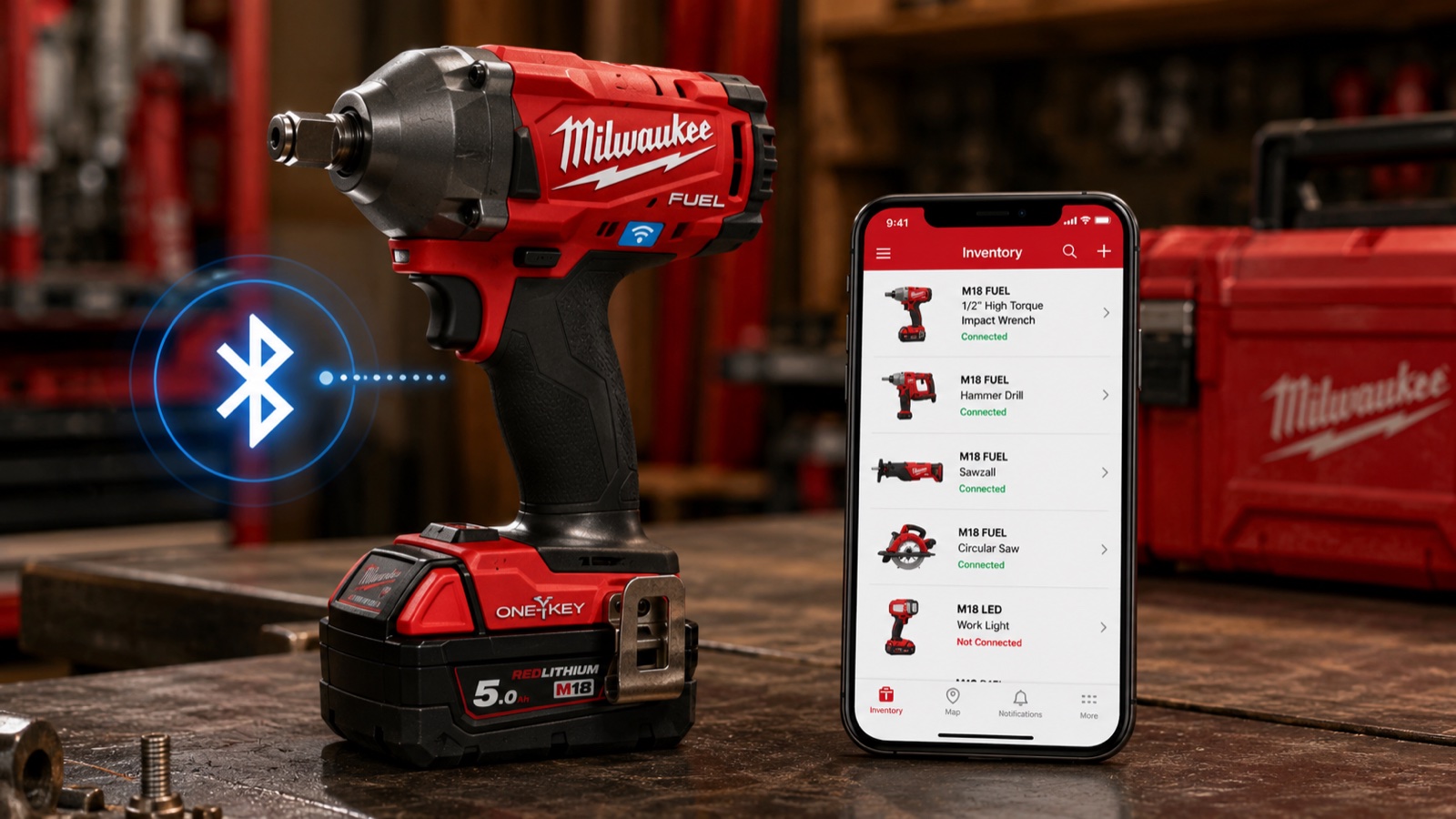
Milwaukee One-Key is one of the most talked-about tool technologies in the trades. The pitch is compelling: Bluetooth-enabled tools that report their location, let you customize settings, and track usage data — all from your phone.
If you've thought about tool tracking, you've probably looked at One-Key and wondered whether it solves the problem. The answer is: it solves a problem. But maybe not the one you think.
Let's break down what One-Key actually does, what it doesn't, and how it compares to standalone inventory apps like ToolTracked.
What Milwaukee One-Key does well
Bluetooth location tracking. This is the headline feature. One-Key-compatible tools have built-in Bluetooth that communicates with the Milwaukee One-Key app. If your tool is within Bluetooth range (roughly 100 feet), the app can detect it. If it's out of range, the app shows the last known location based on the most recent connection.
Milwaukee has also built a network tracking feature. When any One-Key user's phone passes within range of your tool, it pings the location back to your account. The more contractors using One-Key in your area, the better this works. It's similar in concept to Apple's Find My network.
Tool customization. For certain tools — primarily drills and impacts — One-Key lets you adjust speed, torque, and ramp-up settings through the app. If you want your impact driver to max out at a specific RPM for a particular application, you can set that. This is genuinely useful for contractors who need precise control.
Usage tracking. One-Key logs how much a tool has been used, which can help with maintenance scheduling and warranty claims. If you want to know how many hours your rotary hammer has run, One-Key can tell you.
Crew management. For contractors with employees, One-Key lets you assign tools to specific crew members and track which tools are checked out to whom. This is valuable on bigger crews where tools migrate between trucks.
Where One-Key hits its limits
Here's where the honest part starts.
Milwaukee only. One-Key works exclusively with Milwaukee tools. If you're a Milwaukee-everything shop, that's fine. But most contractors aren't. Walk into any working contractor's truck and you'll find Milwaukee next to DeWalt next to Makita next to a no-name brand they've had for fifteen years. One-Key can't see any of those other tools. They don't exist in the system.
This is a fundamental limitation. A tool inventory that only covers one brand isn't really a tool inventory. It's a partial list.
Not all Milwaukee tools are compatible. Even within the Milwaukee ecosystem, One-Key only works with tools that have the Bluetooth module built in. Many Milwaukee tools don't. The One-Key-compatible versions often cost more than the standard versions of the same tool. You're paying a premium for the tracking capability.
So the real picture is: One-Key tracks some of your Milwaukee tools, not all of them, and none of your other brands.
Bluetooth range is limited. Bluetooth tracking works within about 100 feet. That's fine if you're trying to find a drill somewhere in your shop. It's useless if someone stole your tool and drove away with it. The network tracking feature helps, but it depends entirely on other One-Key users being near your stolen tool. In a dense urban area with lots of Milwaukee users, this might work. In a rural area, probably not.
Battery drain. The Bluetooth module in One-Key tools uses battery power. It's not a dramatic drain, but it's not zero either. Some contractors have reported that One-Key tools don't hold their charge quite as long as the standard versions. On a long day where every percentage of battery matters, this can be annoying.
No insurance documentation. This is the gap that matters most when things go wrong. One-Key tracks tool locations and usage, but it doesn't generate insurance reports. It doesn't create formatted PDF inventories with photos, serial numbers, and replacement values. If your truck gets broken into and you need to file a claim, One-Key can tell you which Milwaukee tools are missing, but it won't produce the documentation your insurer wants.
No vehicle or equipment tracking. One-Key is focused on power tools. It doesn't track your work truck, trailer, generator, compressor, ladder, or any of the non-tool equipment that makes up a big chunk of a contractor's asset base.
What standalone inventory apps do differently
Apps like ToolTracked approach the problem from the other direction. Instead of tracking where a tool is right now, they track what you own — across every brand, every category, every location.
Brand-agnostic. A standalone app doesn't care if your drill is Milwaukee, DeWalt, Makita, Bosch, or a Harbor Freight special. It tracks them all the same way. Your Milwaukee impact driver sits next to your DeWalt circular saw next to your Rigid shop vac in one unified inventory.
AI identification. Modern inventory apps use your phone's camera and AI to identify tools from photos. Snap a picture of a tool and the app recognizes the brand, model, and category automatically. This dramatically reduces data entry time compared to typing everything manually.
Insurance PDF reports. This is where standalone apps earn their keep. With one tap, you can generate a formatted PDF report of your complete inventory — every tool, every photo, every serial number, every replacement value — in a format that insurance companies actually want to receive. When you need to file a claim, this report is worth its weight in gold.
Everything counts. Standalone apps track power tools, hand tools, vehicles, trailers, safety equipment, specialty items, and anything else you need to inventory. Your $3,000 generator matters just as much as your $400 impact driver.
No special hardware required. You don't need to buy Bluetooth-enabled versions of your tools. You don't need any hardware at all beyond your phone. Take a photo, confirm the details, done.
Where standalone apps fall short
No real-time location. This is the obvious gap. A standalone inventory app can't tell you which shelf your drill is sitting on right now. It doesn't have Bluetooth beacons pinging tool locations. If you left a tool on a job site and you're trying to figure out where it is, an inventory app can tell you which job site you were on last, but it can't guide you to the tool's exact location.
No usage data. Standalone apps don't track how many hours a tool has been running or how many cycles a battery has been through. They're inventories, not telemetry systems.
No tool customization. You can't adjust your drill's torque settings through an inventory app. That's not what they're for.
They solve different problems
Here's the honest take: Milwaukee One-Key and standalone inventory apps aren't really competitors. They overlap slightly, but they're addressing different needs.
One-Key answers: Where is this specific Milwaukee tool right now? Who has it? How much has it been used?
Inventory apps answer: What do I own? What's it all worth? Can I prove it to my insurance company?
One-Key is an operational tool for managing tool locations on active job sites. Inventory apps are a financial and insurance tool for documenting what you own and protecting yourself when something goes wrong.
When each approach makes sense
You're all-Milwaukee, large crew, multiple job sites. One-Key is genuinely useful. The ability to see which tools are on which site and who has them checked out is valuable at scale. But you still need a separate solution for insurance documentation and for tracking your non-Milwaukee equipment.
You're a solo operator or small crew with mixed brands. A standalone inventory app is the better starting point. You need to know what you own and have documentation ready for insurance, taxes, and replacement planning. Real-time Bluetooth tracking is a nice-to-have, not a must-have.
You want both. Plenty of contractors use One-Key for their Milwaukee tools and ToolTracked for their complete inventory. The two systems serve different purposes and don't conflict. One-Key tells you where your M18 Fuel impact is right now. ToolTracked tells your insurance company everything you own and what it's worth.
The bottom line
Milwaukee One-Key is an impressive piece of technology. The Bluetooth tracking, tool customization, and usage data are genuine innovations. If you're deep in the Milwaukee ecosystem, it adds real value to your workflow.
But it's not a complete tool inventory solution. It only sees Milwaukee tools, it requires Bluetooth-compatible hardware, and it doesn't generate the documentation you need for insurance claims.
A standalone inventory app fills those gaps. It sees everything you own, works with every brand, and produces the reports that matter when something goes wrong.
For most contractors, the best setup is both: One-Key for your Milwaukee tools where real-time location matters, and a universal inventory app for documenting your entire operation.
ToolTracked works with every brand in your truck — not just one. AI photo recognition, serial number scanning, and insurance-ready PDF reports for your complete inventory. Start at tooltracked.com.